Cyber Sentry Academy

Role

Product Designer

Product Model

B2B/B2C SaaS

Domain

Cybersecurity Education

Core Challenge

Designing for long-term learning continuity

This case study is a reconstructed representation of real work. Product names and identifying details may have been altered for confidentiality.

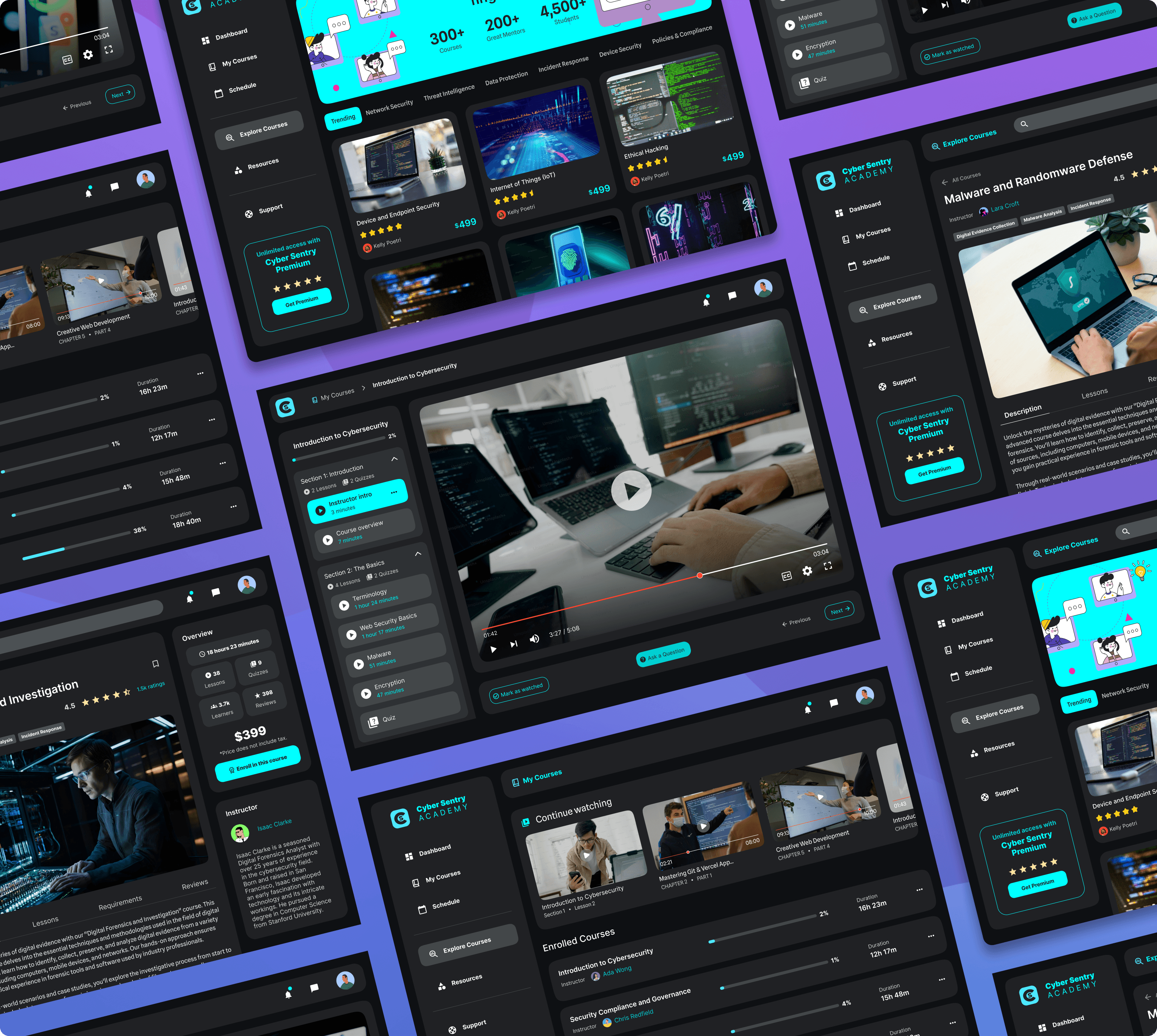
Collage of Cyber Sentry Academy platform

Summary

CyberSentry Academy is an on-demand cybersecurity training platform used by enterprise teams for ongoing education and compliance. I led the redesign of the on-demand experience, including a full overhaul of the course player across web and mobile. The focus was on clarity, making progress easy to understand, and supporting continued learning over time.

Key Decisions
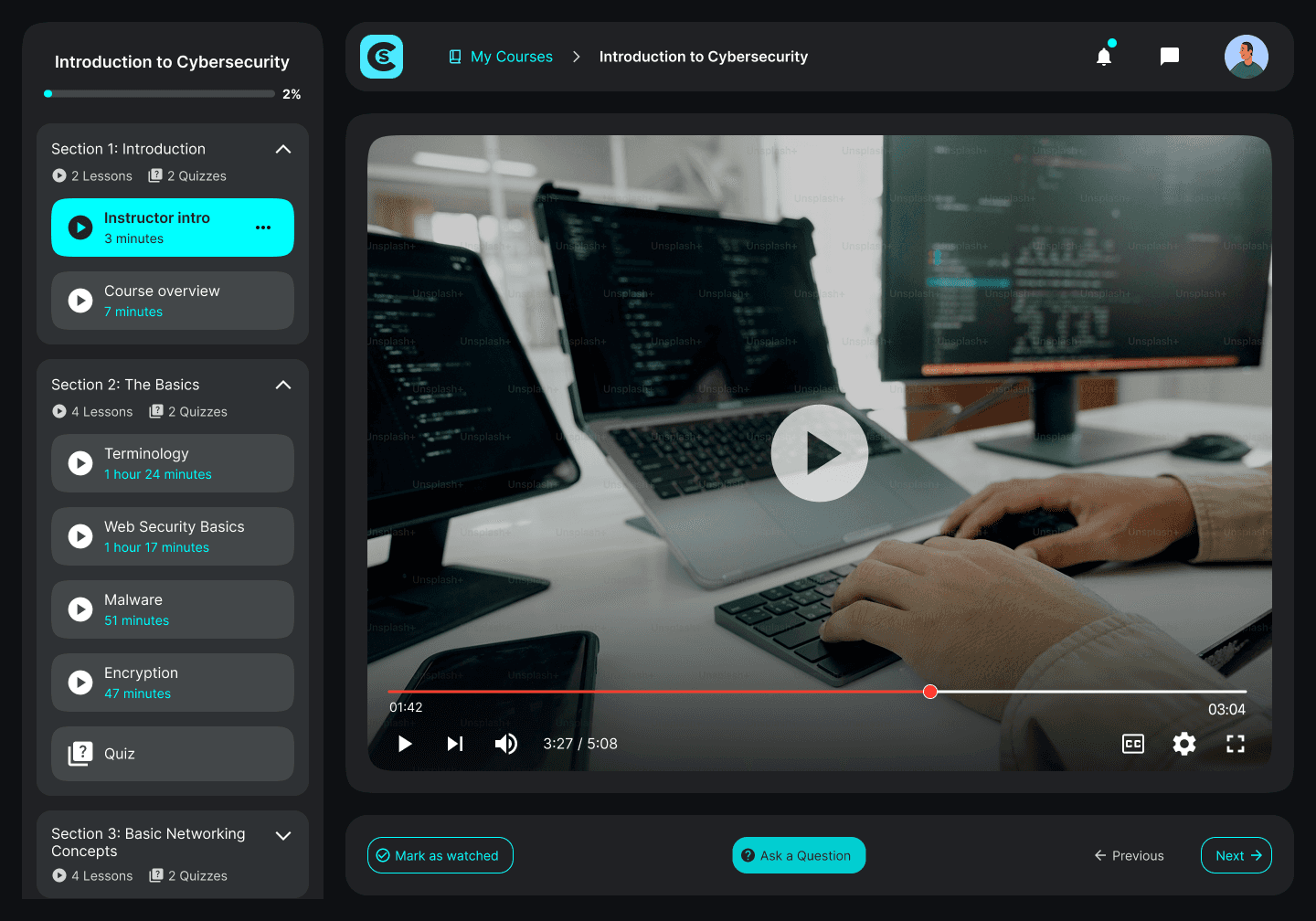
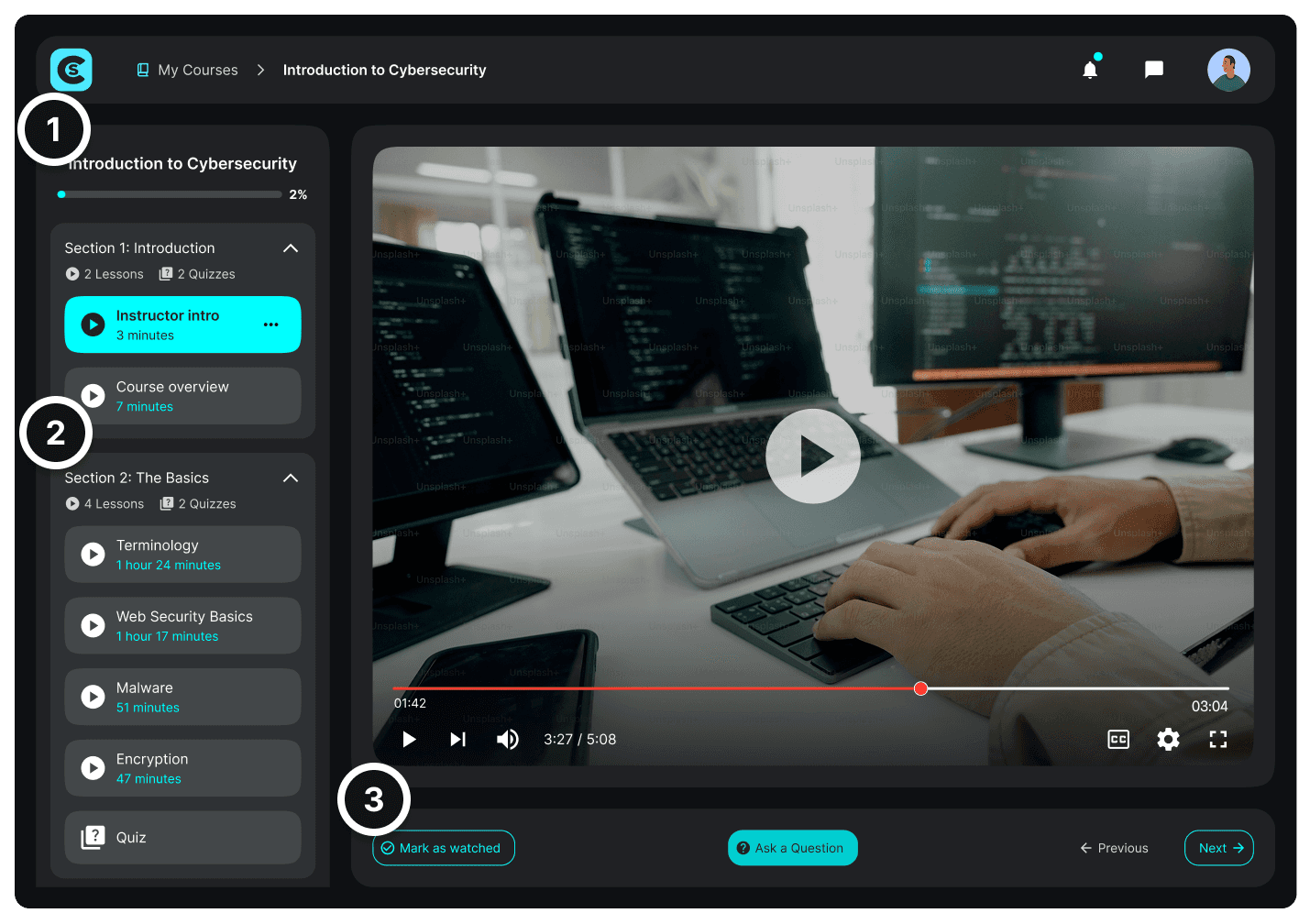
Thumbnail of the OnDemand player

Redesigning the player around learning flow

I redesigned it to feel like a guided path—clear section hierarchy, visible context, and obvious next steps. This reduced friction between lessons and made the course feel cohesive instead of fragmented.

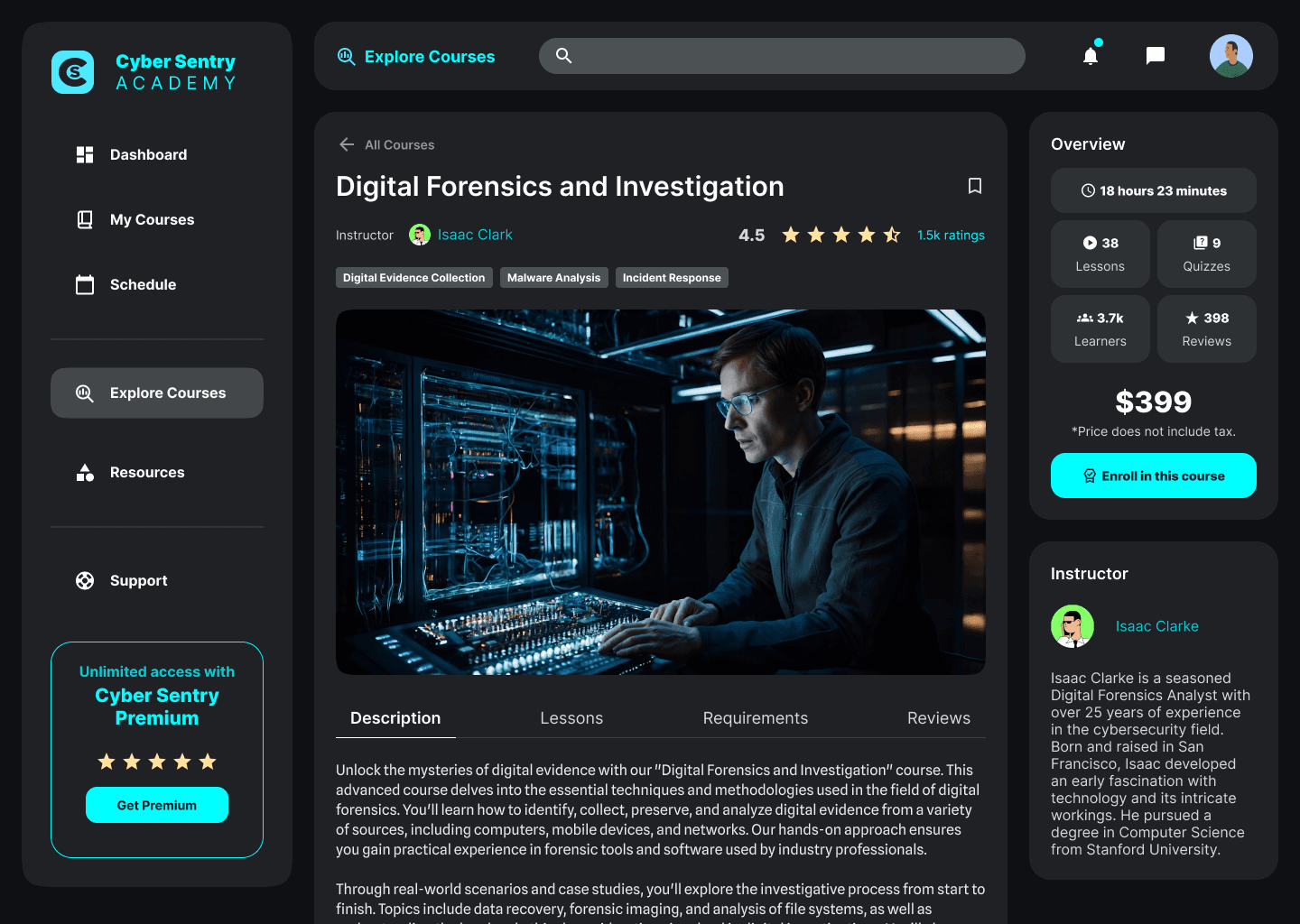
Overview of a course with highlights

Designing for ongoing training, not one-time viewing

Cybersecurity training isn’t binge content. The experience supports repeat visits with resume points and contextual next actions.

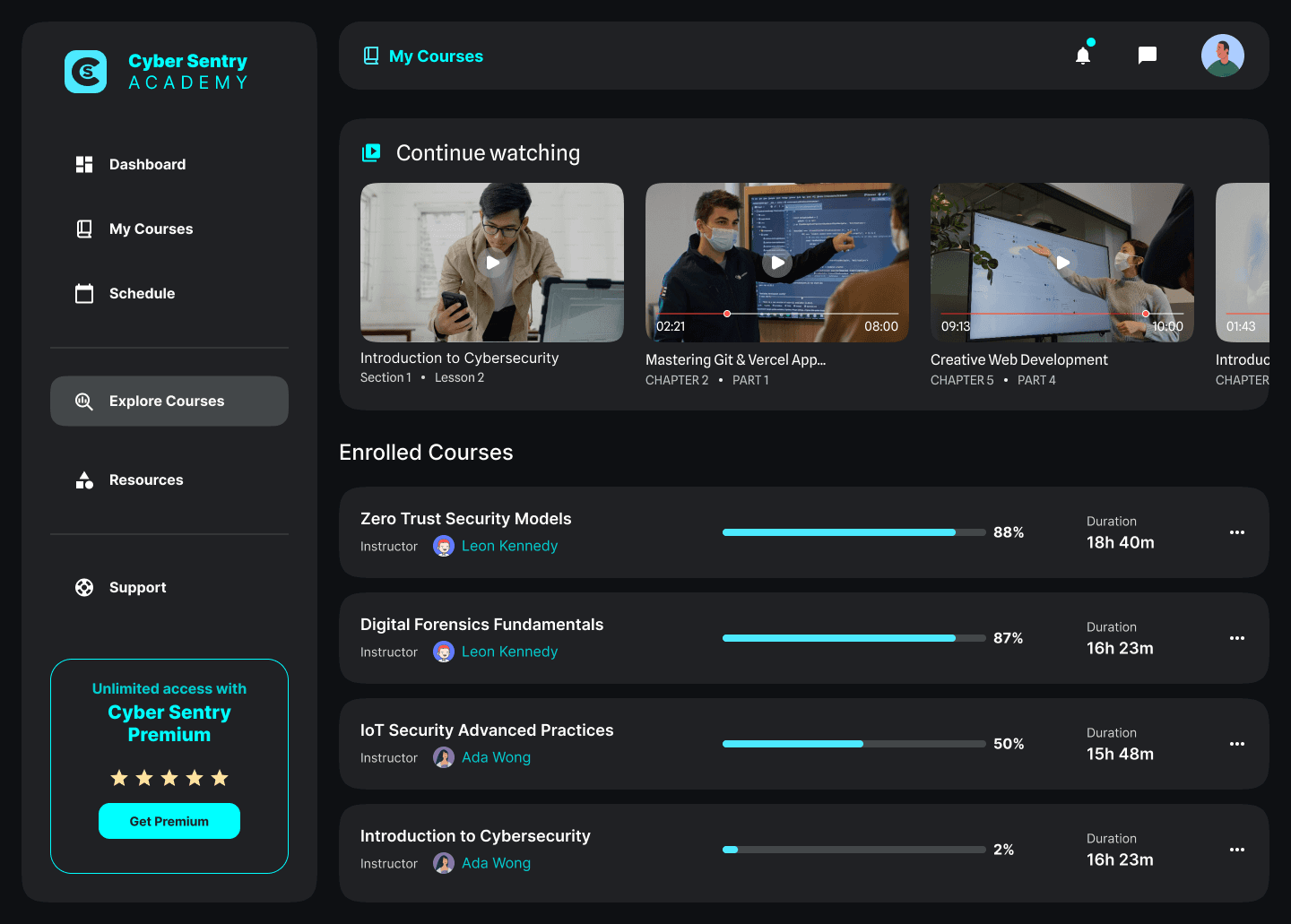
Overview of the enrolled courses page with clear progress indicators

Making progress actually meaningful

Instead of a simple “completed” state, I designed progress to reflect partial completion and real return behavior. Learners could instantly see where they left off and what remained without guessing or restarting.

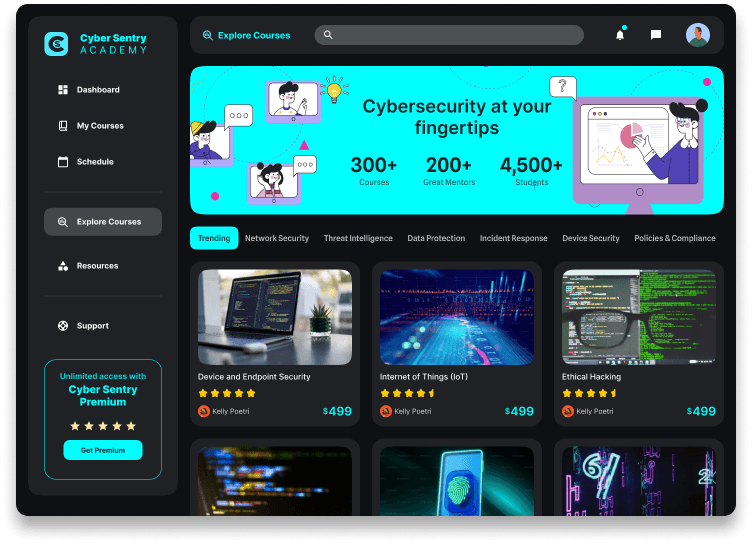
Landing page for the Cyber Sentry Academy, showing illustrations and an approachable learning curriculum

Making cybersecurity approachable

Cybersecurity training is often dense and intimidating. I designed the discovery experience to feel inviting and scannable—using visual cards, clear categories, and strong course previews so users could explore without friction.

Thumbnail of the OnDemand player

Redesigning the player around learning flow

I redesigned it to feel like a guided path—clear section hierarchy, visible context, and obvious next steps. This reduced friction between lessons and made the course feel cohesive instead of fragmented.

Overview of the enrolled courses page with clear progress indicators

Making progress actually meaningful

Instead of a simple “completed” state, I designed progress to reflect partial completion and real return behavior. Learners could instantly see where they left off and what remained without guessing or restarting.

Overview of a course with highlights

Designing for ongoing training, not one-time viewing

Cybersecurity training isn’t binge content. The experience supports repeat visits with resume points and contextual next actions.

Landing page for the Cyber Sentry Academy, showing illustrations and an approachable learning curriculum

Making cybersecurity approachable

Cybersecurity training is often dense and intimidating. I designed the discovery experience to feel inviting and scannable—using visual cards, clear categories, and strong course previews so users could explore without friction.

Annotations

1

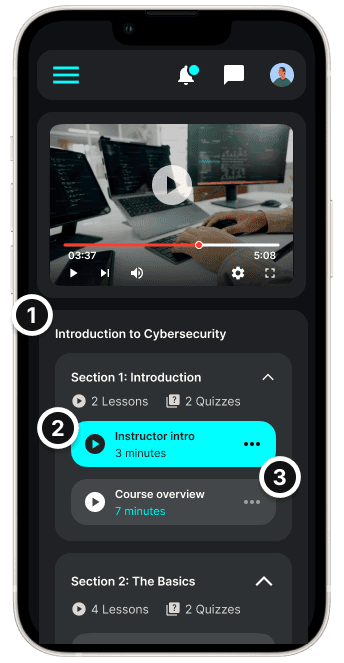
Progress is structured across levels—course, section, and lesson—giving users a clear sense of position within the larger journey.

1

Progress is structured across levels—course, section, and lesson—giving users a clear sense of position within the larger journey.

1

Progress is structured across levels—course, section, and lesson—giving users a clear sense of position within the larger journey.

2

Content is organized by sections and lessons, making it easy to resume or jump between topics without losing context.

2

Content is organized by sections and lessons, making it easy to resume or jump between topics without losing context.

2

Content is organized by sections and lessons, making it easy to resume or jump between topics without losing context.

3

Primary actions—mark complete, ask a question, move to next—live alongside the content, reducing friction between watching and doing.

3

Primary actions—mark complete, ask a question, move to next—live alongside the content, reducing friction between watching and doing.

3

Primary actions—mark complete, ask a question, move to next—live alongside the content, reducing friction between watching and doing.